
Every channel, every warehouse. One record.
You sell through your own site, three marketplaces and a wholesale channel. You ship from two 3PLs and a dropship vendor. You send kits to creators and displays to stores. Today that is six systems and a spreadsheet.
-
What you run
Sales orders, purchase orders, work orders and returns, across warehouses you own and partners you pay.
-
Who asks you
Finance asks what shipped. Marketing asks if the kits landed. Sales asks if the store got its opening stock. The 3PL asks which one you meant.
-
With CommerceBlitz OMNI
Every order, whoever raised it and whoever fills it, on one record you read across every warehouse and every channel.
For brands that run their own supply chain · CommerceBlitz OMNI
One record from the purchase order to the delivered order.
Bolt on. Nothing gets ripped out. The channels connect to CommerceBlitz OMNI, every order lands on one record, and the record hands your ERP itemized orders, the PO reconciled against what shipped, and an audit log of who did what and when. Your 3PLs keep their warehouse software; where one of them cannot connect, the record works around it with a file in and a file out.
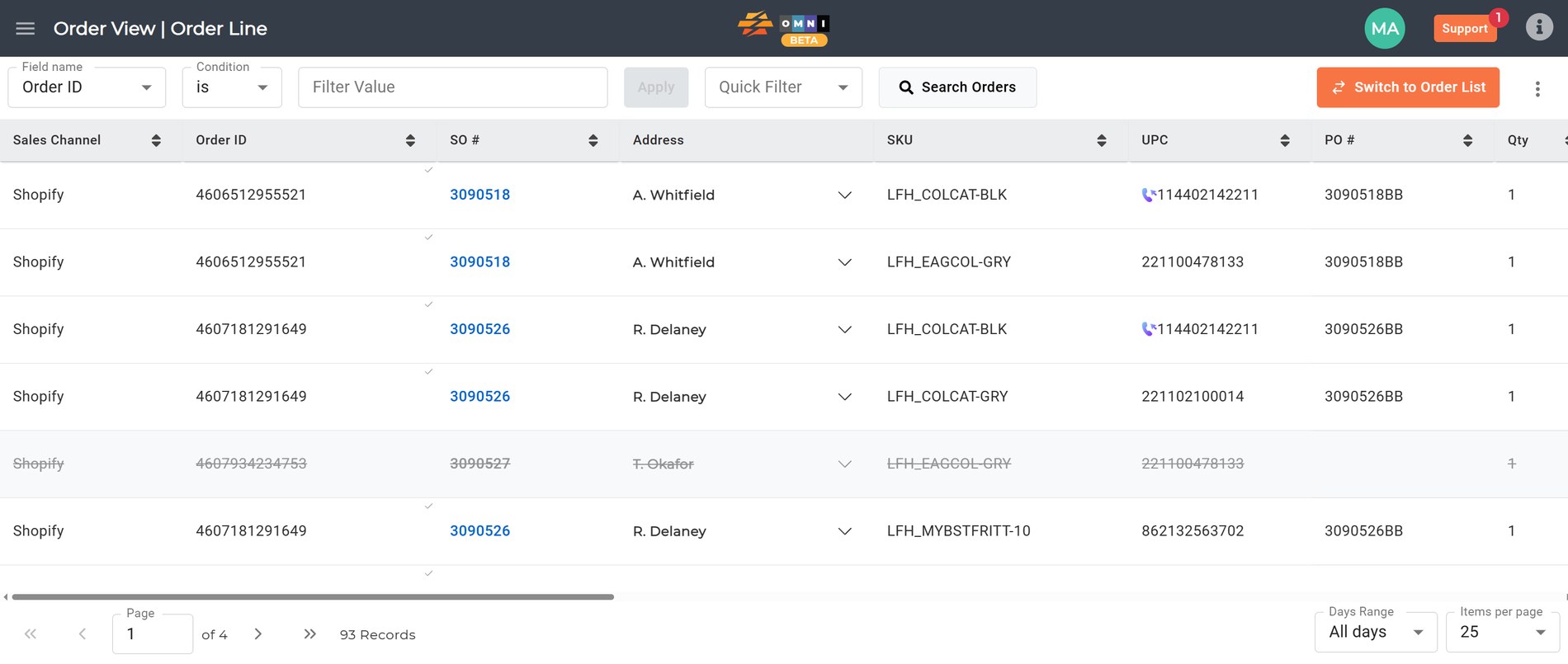
What changes is that you read one thing. A sales order, a store opening, a creator kit and a return sit on the same line, with the same fields, whichever building filled them.
Six places it shows up
The store opening
With CommerceBlitz OMNI
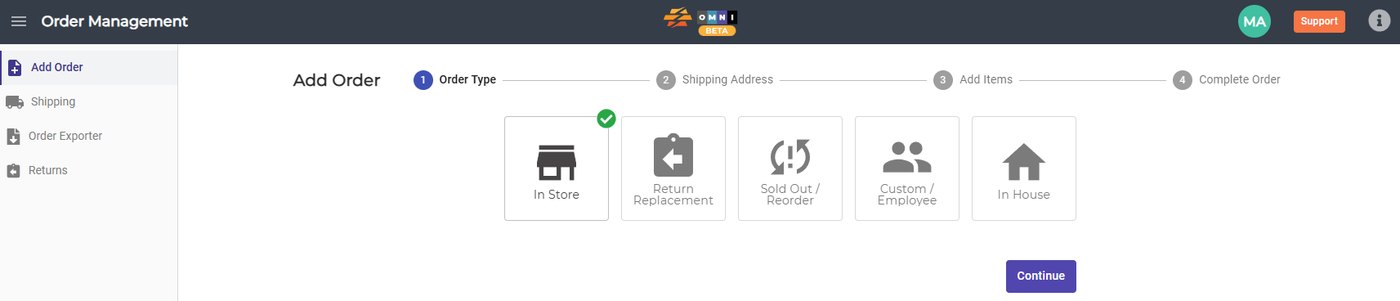
Forty doors open in March. Each one gets an in store order for the display set and the opening stock, filled from the nearest building. Sales watches the doors fill in as the shipments land.
Today
The retailer sends a door list. Somebody turns it into forty shipments by hand, splits them between two 3PLs by guess, and tracks them in a spreadsheet that is wrong by the second week. Two ASNs go out late and the chargeback lands on the next remittance. The regional manager calls to ask about a door that shipped ten days ago.
What you can read
Which door got what, from which building, on which day, against which PO. Before the regional manager asks, and before the chargeback.
The creator kit
With CommerceBlitz OMNI
Marketing keys two hundred kits as custom orders. Each one picks, ships and carries a tracking number, so the content calendar runs on delivery dates instead of hope.
Today
Every seeding tool does the same thing: it drops a zero dollar order into Shopify with a tag and stops. No cost, no type, no way to tell it from a sale. The kits go out, nobody knows exactly when, and the unboxing videos are scheduled against a guess. Half the creators post before the product lands. Finance finds the shipping cost in the 3PL invoice a month later with no order to match it to.
What you can read
Which kit landed when, and what each one cost, on the same record as the orders that pay for them.
Two 3PLs, one answer
With CommerceBlitz OMNI
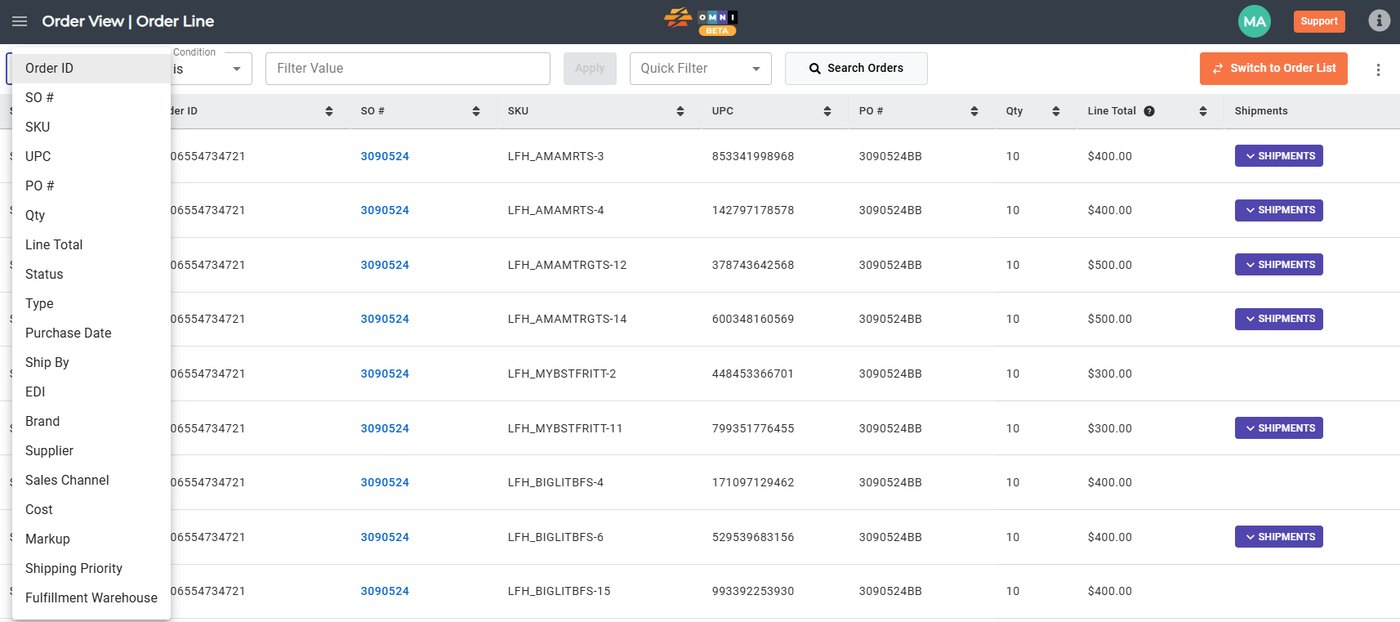
Every order line carries its fulfillment warehouse, and every warehouse works its own view of your record. Stock across the buildings rolls up to one available to sell number, balanced across your channels by your rules.
Today
The east coast 3PL reports Monday in their format. The west coast 3PL reports Wednesday in theirs. The dropship vendor sends a portal login. Every Friday somebody exports from Shopify, exports from each 3PL, pastes it all into a spreadsheet and eyeballs the variance, and by Monday it has moved.
What you can read
What is where, what sold from where, and which building is carrying the returns. One source of truth, as of now, not as of last Friday’s spreadsheet.
The return
With CommerceBlitz OMNI
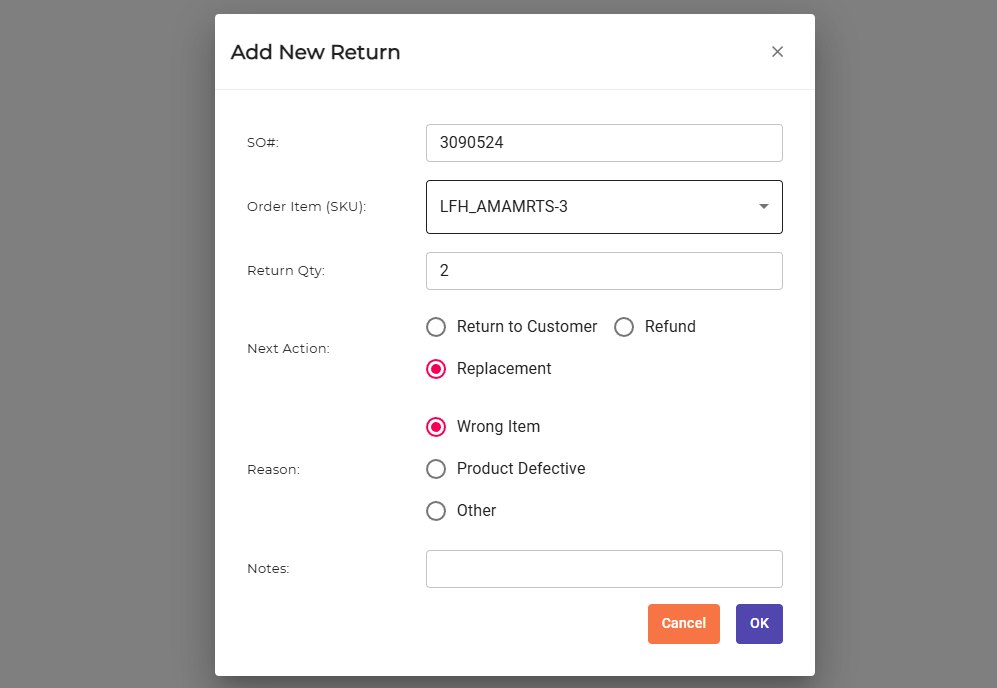
The return is raised against the sales order with the next action and the reason. The replacement goes out as its own order tied to the first one. Customer service reads it without calling the warehouse.
Today
A customer emails about a defective unit. Service opens a ticket. The 3PL is asked to watch for the box. The replacement is a new order nobody links to the old one. Three weeks later finance sees two shipments and one payment and asks what happened.
What you can read
Returns by reason, by SKU and by channel, with the replacement tied to the original. The defective one that keeps coming back gets noticed in week two, not quarter two.
Which channel pays
With CommerceBlitz OMNI
Orders, revenue, cost and profit by brand, vendor and channel, from the same record that shipped them. Filter, generate, download.
Today
The marketplace report says one thing, the ERP says another, and the 3PL invoice says a third. Somebody builds the monthly channel view in a spreadsheet by hand, and the answer to which channel is actually paying is a month old by the time anyone reads it.
What you can read
Which SKU moves where, which channel drives cash and which drives top line, and what the fulfillment cost was on each.

Adding a warehouse
With CommerceBlitz OMNI
The new 3PL gets a login. They work the same record every other partner works, and their orders route to them by your rules for cost, geography and service level.
Today
A new region means a new 3PL, a new reporting format, and a new integration project before the first order ships. Somebody on your team spends a quarter getting their spreadsheet to look like the others.
What you can read
The new building’s first week reports exactly the way your oldest one does.
Finance gets the columns, not the call.
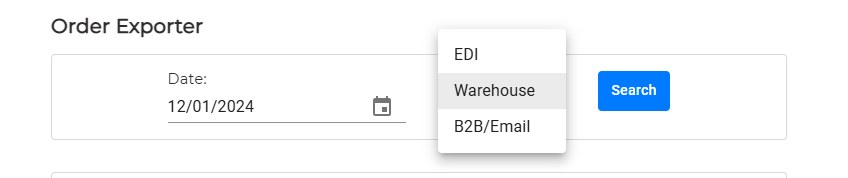
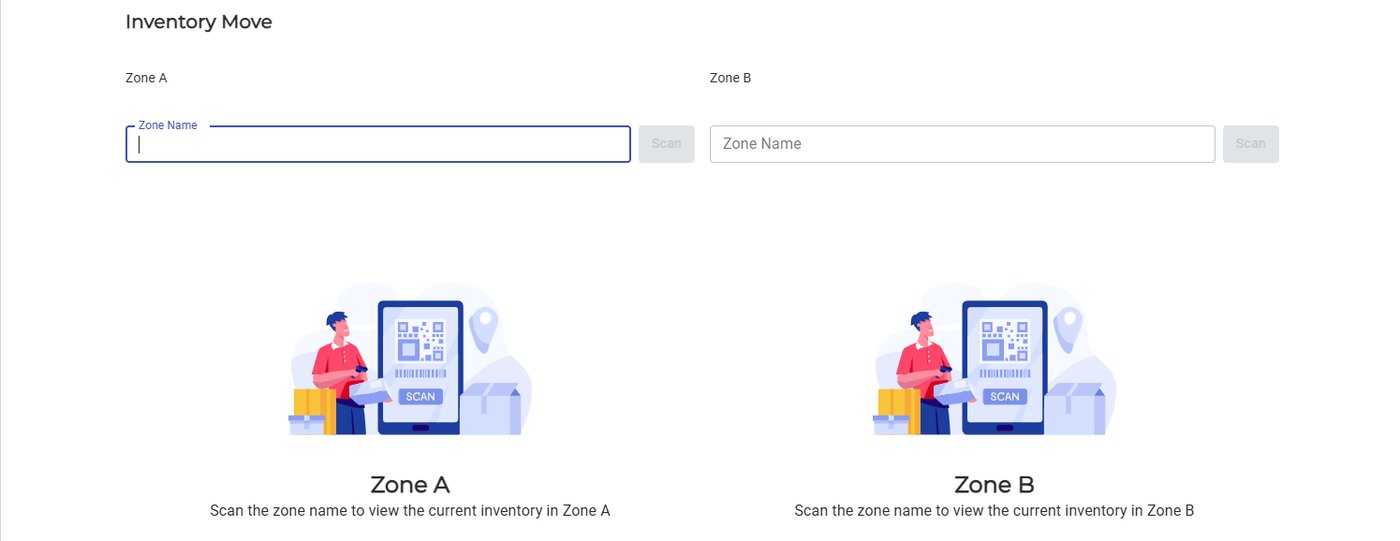
Cost, markup, dropship fee, EDI, warehouse, tracking, date of shipment. Pick the columns, pick the dates, download it, and the same numbers are on the 3PL’s invoice.
Month end stops starting with a phone call to the warehouse.
Why your 3PLs will use it
The cost sits with you, which takes the hardest objection off the table before anyone raises it.
The weekly report in your format, the emailed order they retype, the invoice dispute at month end. That goes away.
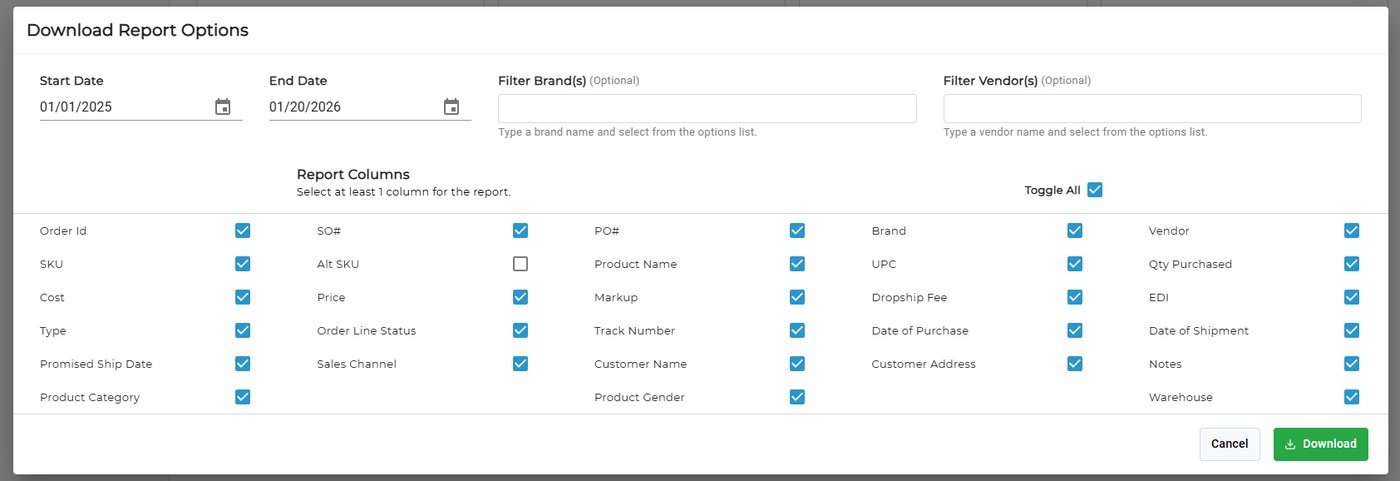
Orders flow into the pick process they run today. Their warehouse system stays the on hand master. This sits on top and carries the order across.
Which building you meant, which PO this is against, whether the kits are a real order. It is on the line before they have to ask.
The advice you will hear is to move everything to one 3PL so you can read one report. Keep the network that fits your regions. The one view comes from the record, not from the number of buildings.
Each 3PL works its own orders in its own view. You see across all of them, because the orders are yours. And if a 3PL already runs CommerceBlitz OMNI for its other clients, your orders land in the system their floor uses every day.
The engines under the record
The order line is what you read. Underneath it, four engines keep the stock, the channels and the routing honest. Each one answers a question, in order, and the next one works from the answer. The full write up of each engine is on the components page.
 What do we actually have?
Your buildings, your 3PLs and your dropship vendors, ingested from portals, feeds, spreadsheets and APIs, and cleaned before anything downstream reads it.
 What can we actually sell?
Commitments subtracted from the combined picture, one number per SKU you can publish to every channel.
 Who gets to sell it?
One pool of stock allocated across your site, the marketplaces and wholesale by your rules. Publish zero when a vendor drops under your threshold.
 Who ships it, and did it ship?
Owned stock, then 3PL, then FBA, then dropship, in the order you define, with a fallback. Then Routes watches your channels, each warehouse and the carrier accounts. When a tracking number appears anywhere, even on an order a store shipped itself, it is marked shipped so nobody else ships it, and the shipment cost lands on the order.
-
Every channel on one line
Your own site, Amazon, Walmart, eBay, Etsy, Target and wholesale EDI. Turnkey connections, attached from account settings.
-
Partners get their own view
Every 3PL and carrier you use works in their own account and sees only their own orders. You see the whole board.
-
White glove and final mile
The order that needs a crew sits on the same line as the parcel that shipped the same morning, with the photos and the sign off. See the final mile page for brands.
-
Texts from the order, not from a phone
Turn texts on for an order and the customer or the store gets the ship confirmation, the delivery window and a text when the order closes, in your name, with no app. Replies land on the order against the person who sent them.
-
Accounting stays the book of record
QuickBooks and Xero connect the same way the channels do. The record hands them itemized orders, not a reconstruction.
-
Ask instead of pulling a report
Your team asks a plain question about inventory, orders or shipments and gets the answer. Runs in our own private cloud. Your data stays in.
Where each piece shows up on the platform.
- Orders Every channel and every EDI order in one queue, filterable from any cell.
- Warehouses Counts from your WMS, a client’s WMS or ours, resolved into one list per zone.
- Billing One set of events, two rate cards, and why your client cannot be looking at different numbers than you.
- Cash Flow Which part of a ninety day billing cycle is contractual, and which part you can shrink.
- Integration Turnkey connectors, connections built for your stack, and inventory sync that starts switched off.
- AI Most questions need one number rather than a dashboard, and reports built against your own fields.
Where it sits
Bolt on. Nothing gets ripped out.
Your ERP and accounting
Stay the book of record, and get itemized orders instead of a reconstruction at the end of the quarter.
Your 3PLs and warehouses
Keep their warehouse systems, their floors and their processes. They gain a place to put the record.
Your channels
Stay connected the way they are. The record reads them side by side.
CommerceBlitz OMNI carries every order you sell across every building that fills it, and back to you as one record. If a 3PL already runs CommerceBlitz OMNI for its other clients, your orders land in the system their floor uses every day.
This is what we are thinking. Tell us how it works with your business. If it works, great. If it does not, we both learned something.